TikTok Profile Picture Size Guide and Best Cropping Tips
.svg)

Your TikTok profile picture is tiny on-screen, but it does outsized work: it’s the visual anchor next to every comment, DM, stitch, and follow prompt. The catch is that TikTok displays it as a circle in most places, compresses it aggressively on mobile, and can crop out key details if you design too close to the edges.
This guide covers the practical TikTok profile picture size to use in 2026, plus cropping tips that keep faces, logos, and text readable everywhere TikTok shows your avatar.
TikTok profile picture size (what to upload vs what people see)
TikTok lets you upload a square image, then renders it as a circular avatar in many surfaces (profile page, For You feed attribution, comments). Because TikTok’s UI is mobile-first and avatars render small, your goal is not just “meets minimum size,” it’s “stays sharp after compression.”
Here are safe, creator-friendly specs that consistently hold up:
- Upload aspect ratio: 1:1 (square)
- Recommended upload size: 1080 x 1080 px (or at least 720 x 720 px)
- Absolute minimum to avoid obvious blur: 200 x 200 px
- File type: PNG (best for logos and crisp edges) or JPG (best for photos)
- Keep it lightweight: export with reasonable compression so it uploads quickly and avoids extra platform processing
Why 1080 x 1080 if TikTok displays it much smaller? Because higher-resolution uploads typically survive resizing better, especially for logos, sharp typography, and high-contrast edges.
How TikTok’s circular crop affects your design
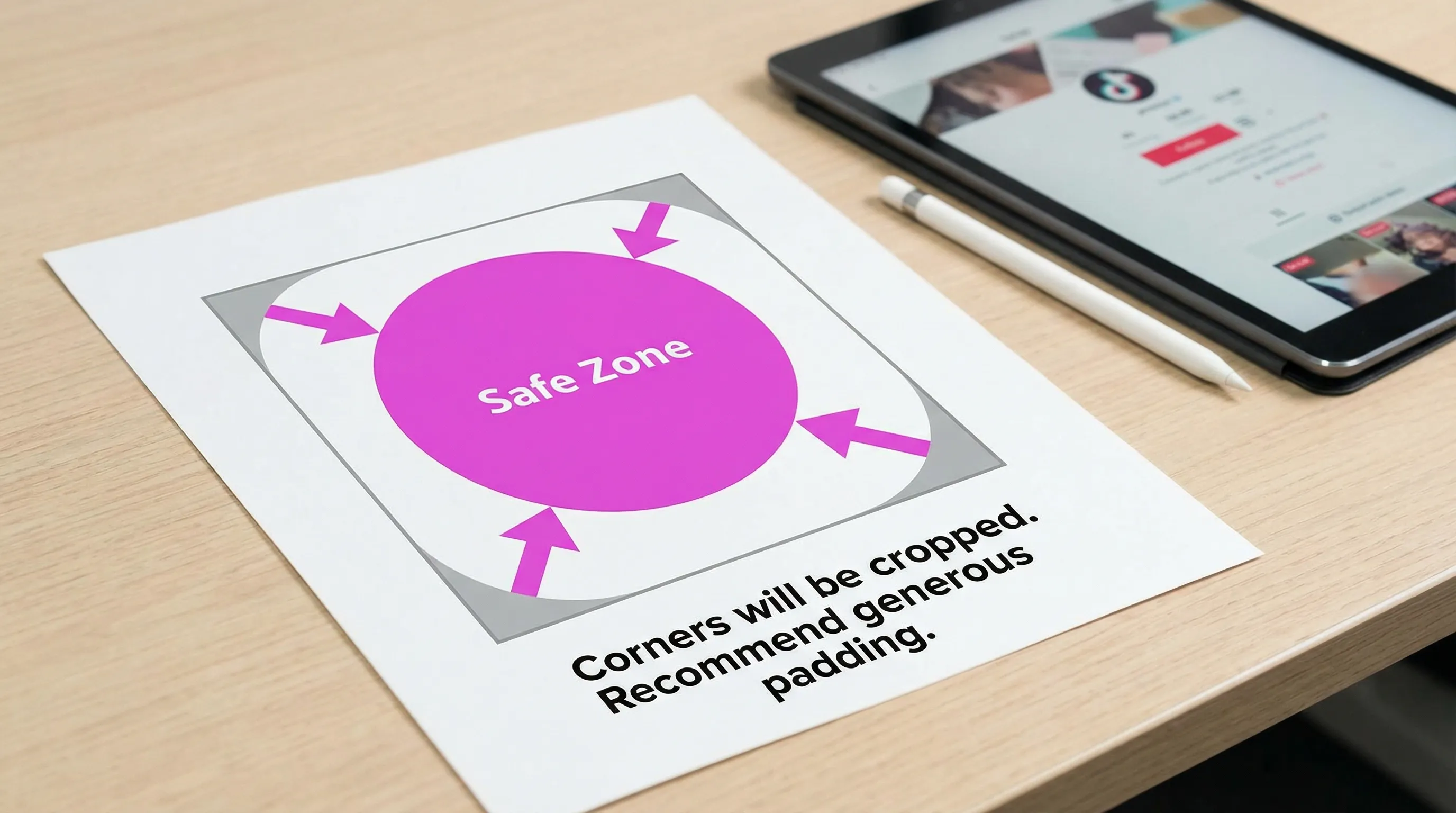
Even though you upload a square, TikTok effectively uses a circle mask. Anything near the corners is at risk, and small details can disappear when the avatar is rendered at comment-size.
A simple rule that prevents most cropping disasters:
- Design inside a centered “safe circle,” not the full square.
- Leave padding around the subject, especially above the head and below the chin for portraits.
- Avoid placing text near edges, and assume it will be unreadable at small sizes anyway.
Best cropping tips for a TikTok profile picture (faces, logos, and creators)
Cropping for TikTok is less about perfect composition and more about instant recognition at a glance.
1) Crop tighter than you think, but not to the edges
For personal brands and creators, the highest-performing format is usually a clear head-and-shoulders framing with the face taking up most of the circle.
Practical target:
- Eyes roughly in the upper third of the circle
- A little breathing room above hair and below chin
- Shoulders visible only if they help recognition (signature outfit, uniform, etc.)
If you crop too wide, your face becomes a few blurry pixels in comments. If you crop too tight, TikTok’s circle crop can cut off hair, hats, or chin, which looks awkward and unprofessional.
2) Prioritize contrast over “aesthetic” backgrounds
TikTok’s UI is busy. Your avatar needs separation.
- Choose a background that contrasts with your face or logo
- Avoid backgrounds with fine detail (brick walls, foliage, crowds), they turn into noise when shrunk
- If you use brand colors, pick one dominant color and keep it clean
A fast test: zoom your image out until it’s about the size of a thumbnail. If the subject blends into the background, it will blend on TikTok.
3) Don’t rely on small text
If your profile picture includes your name, niche, or tagline, it will almost always become unreadable in the smallest placements.
Instead:
- Use a recognizable symbol (icon, monogram, product silhouette)
- Save text for your bio and pinned videos
- If you must use letters, keep it to 1 to 2 characters with heavy weight and high contrast
4) Keep your subject centered (especially for logos)
Logo avatars fail on TikTok when they’re off-center or too close to the circle edge.
- Center the mark precisely
- Increase internal padding
- Prefer a simplified version of your logo (icon-only) rather than the full lockup
5) Watch out for “invisible” circular cropping on light logos
White logos on light backgrounds often look fine full-size, then vanish in small UI placements.
Fix it with one of these:
- Add a subtle darker background color
- Add a thin outline around the logo (1 to 3 px at 1080 x 1080)
- Use a brand color fill instead of pure white
6) Export for sharpness (without creating a huge file)
For photos:
- Export JPG at high quality (avoid overly aggressive compression)
- Add a touch of sharpening after resizing to 1080 x 1080
For logos and graphics:
- Export PNG
- Avoid tiny strokes and hairline borders
- Check edges at 100% and again at “thumbnail size” zoom
A simple TikTok PFP workflow that prevents cropping surprises
Most “bad TikTok profile pictures” aren’t bad photos, they’re untested crops.
A reliable workflow:
- Start with a square canvas (1080 x 1080)
- Place your subject inside a centered safe zone (assume corners get cut)
- Create 2 variants:
- Variant A: slightly tighter crop
- Variant B: slightly wider crop
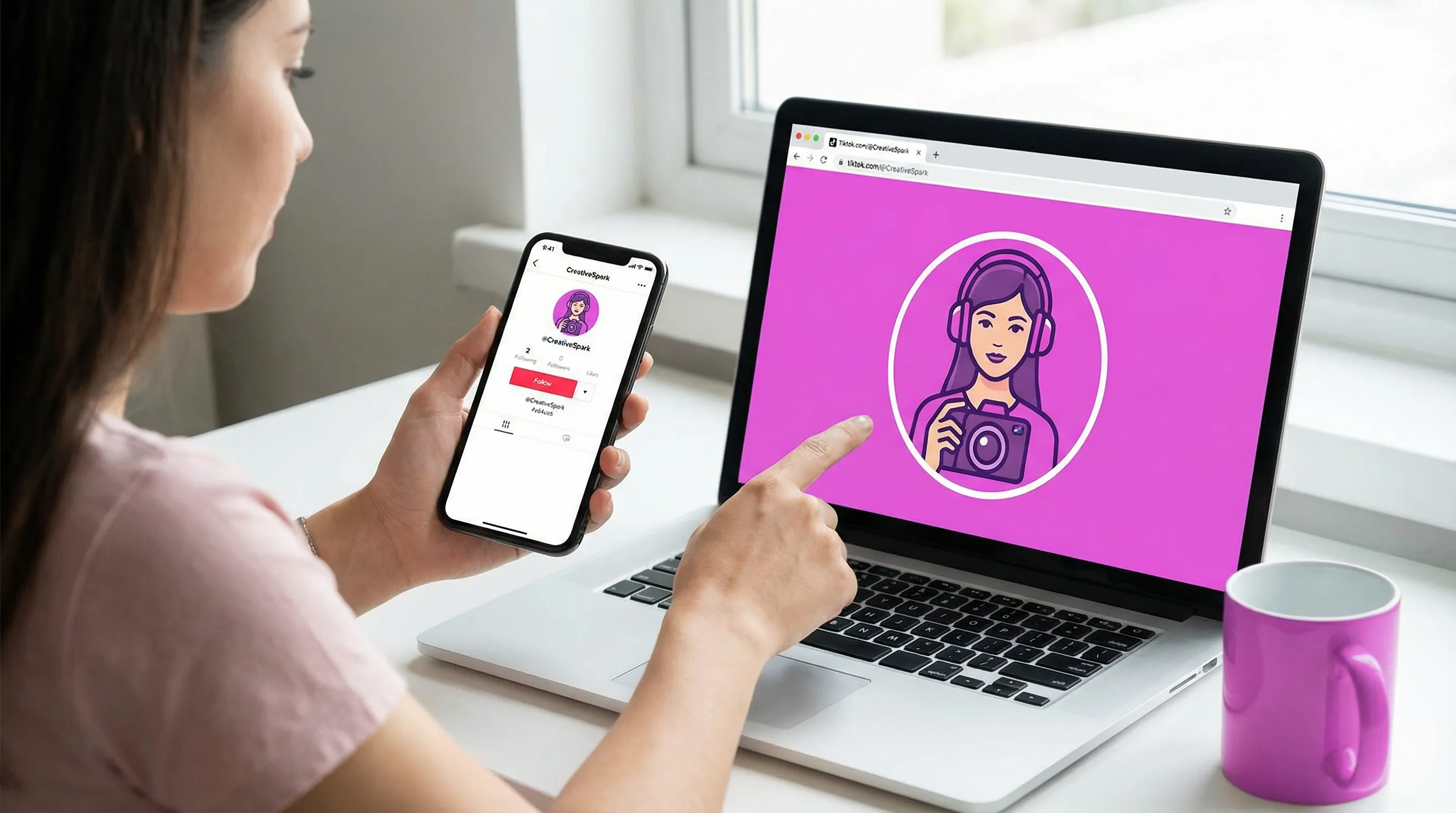
- Preview both on mobile and desktop before you commit
If you want to speed this up across devices and platforms, use a dedicated preview tool. With SocialPreviewing, you can upload your profile image and see how it renders on TikTok and other major platforms, then adjust cropping and export mockups for approvals.
Common TikTok profile picture mistakes (and quick fixes)
Using a full-body photo
A full-body shot can look stylish on Instagram, but on TikTok it often becomes unrecognizable.
Fix: crop to head-and-shoulders and increase contrast.
Over-editing and heavy filters
Over-smoothing can remove facial detail, and strong color grading can reduce contrast.
Fix: keep edits subtle and prioritize clarity.
Busy backgrounds or group photos
TikTok avatars are too small for extra context.
Fix: simplify. One face, one focal point.
Logo lockups designed for headers, not icons
A horizontal logo with small text will collapse at avatar size.
Fix: use your icon or monogram version.
Bonus: align your TikTok PFP with your growth funnel
For marketers and freelancers, your TikTok profile picture is part of a cross-platform conversion path. If you’re building awareness on TikTok but converting on Instagram, consistency matters.
- Use the same face or icon across platforms for instant recognition
- Keep color cues consistent (one background color can do a lot)
- Make sure the avatar matches the “vibe” of your content (professional, playful, luxury, creator-first)
If Instagram outreach is part of your acquisition strategy, tools like Orsay AI can automate prospecting and follow-up so your profile visuals and your growth engine work together instead of separately.
Quick checklist before you upload your TikTok profile picture
- Image is square (1:1) and exported at 1080 x 1080 px
- Subject fits comfortably inside a circular safe zone
- Face or logo is instantly recognizable at thumbnail size
- Background is clean and high-contrast
- No important details in the corners
- You previewed it on at least two device sizes before publishing
A strong TikTok profile picture is rarely about having the “perfect” photo. It’s about a crop that survives the circle, the compression, and the tiny placements where decisions to follow (or scroll) happen fast.
.svg)
.svg)




