Facebook Profile Refresh: What to Update First
.svg)

A Facebook profile refresh is one of the fastest ways to make your online presence feel current, credible, and intentional. It also has a bigger reach than most people realize: your profile photo shows up in comments, Messenger, Groups, event invites, search results, and on mobile it’s often the most prominent visual element.
If you only update one thing, update the thing people see everywhere. Then work outward, from highest-visibility elements to “trust and conversion” details.
Start with the goal (because “refresh” means different things)
Before you touch your visuals, decide what you want your Facebook profile to do over the next 30 to 90 days:
- Personal networking: You want to look approachable and recognizable in comments and Groups.
- Freelance or creator growth: You want people to click through, follow, message you, or visit a portfolio.
- Brand or business visibility (Page): You want profile visitors to take an action (book, shop, call, sign up).
That goal determines your choices (photo style, cover message, CTA, and what you feature). It also helps you avoid the most common refresh mistake: changing everything at once with no consistent story.
What to update first (in the order that makes the biggest impact)
1) Update your profile photo first (it’s your “everywhere asset”)
Your profile photo is the smallest image you’ll upload, but it appears in the most places. That makes it the highest leverage change in a Facebook profile refresh.
Priority checks for a strong Facebook profile photo
- Recognizable at thumbnail size: If someone can’t identify you (or your logo) at a glance, it’s not doing its job.
- Centered for the circular crop: Facebook often displays profile photos as a circle, even if you upload a square.
- High contrast: Especially important for dark mode and small mobile UI.
- Consistent with your “role”: Friendly for community building, polished for professional credibility, bold for creator branding.
If you’re refreshing for professional reasons, keep it simple: clear face, clean background, minimal edits. Research suggests people form impressions from faces extremely quickly (on the order of milliseconds), which is why clarity and expression matter so much even in tiny profile images. (See Willis and Todorov’s work on rapid first impressions from faces via the APA.)
Practical tip: Don’t trust the crop inside Facebook alone. Preview your image as a profile icon, in comment threads, and on mobile before you commit. SocialPreviewing is built for exactly this: you can upload one image and preview how it will look across platforms and devices (with a free preview available).
2) Refresh your cover photo second (it sets context and credibility)
Once your profile photo is solid, move to the cover photo. The cover photo does a different job: it answers “what is this profile about?” in a single glance.
For creators, freelancers, and small brands, a good cover image typically includes one of these:
- A simple brand statement (one short line)
- What you do and who you help
- A visual that matches your niche (without looking like generic stock)
- A campaign or seasonal theme (if you regularly run promos)
Keep cover text minimal. Cover photos are notoriously sensitive to device cropping. If you include text, treat it like a headline, not a paragraph.
If you want the most current source of truth, Meta periodically updates guidance in its help resources. Start at the Meta Business Help Center and verify recommended specs for your specific Page or placement.
3) Tighten your name, intro, and “first-screen” info
After visuals, the next highest impact area is what visitors read without clicking around.
On a personal profile, focus on:
- Intro details that support your current identity (role, city, education if relevant)
- Featured links (portfolio, newsletter, booking link) if you use them
On a Facebook Page, focus on:
- Category (so you appear in the right searches)
- Bio/About (one clear sentence beats a keyword dump)
- Contact paths (email, website, location, hours if applicable)
Micro-copy rule: Write like a human, not like a résumé. Your Facebook profile is often “pre-sales,” even when you’re not selling. People want clarity and tone.
4) Fix your CTA path (where do you want the click to go?)
A refresh is incomplete if your profile looks great but sends people nowhere.
For Pages, review:
- Your action button (Book Now, Contact Us, Sign Up, Shop)
- Your primary link and whether it matches your current offer
For personal profiles used professionally, review:
- Whether you have a clean next step (Message me, see my work, join my Group)
- Whether your featured content supports that next step
Conversion sanity check: Click your own CTA on mobile and desktop. If it’s slow, broken, or confusing, your refresh is leaking results.
5) Refresh “social proof” surfaces: Featured, pinned, and recent posts
Many people update the profile picture and stop, but what your profile shows next is what makes people trust you.
If your Facebook profile or Page supports it, update:
- Pinned post: Make it the best “start here” post you’ve ever written
- Featured content: Use 3 to 5 items that prove your work, values, or community role
- Recent posts: Archive, hide, or de-emphasize anything that clashes with your new positioning
What works well as pinned/featured content
- A short intro post (who you are, what you post about, how to work with you)
- A case study or results post (screenshots, before/after, testimonial)
- A resource post (free checklist, guide, template)
- A “best of” post that links to your top content
6) Check privacy, security, and professionalism (especially for freelancers)
A Facebook profile refresh is also a risk-management moment.
Quick checks worth doing right after the visual refresh:
- Review public-facing posts (especially older posts that no longer fit)
- Turn on Timeline/Tag review if you want more control
- Enable two-factor authentication for account security
You don’t need a “perfectly clean” history, but you do want alignment. If you’re positioning yourself as a consultant, designer, or marketer, your public profile should not look accidental.
7) Do a cross-device preview, then adjust cropping last
Cropping is not a one-time action. It’s a loop.
This is where most refreshes quietly fail: the profile photo looks good on desktop and awkward on mobile, or the cover text is readable on a laptop and cut off on a phone.
A simple workflow:
- Upload your profile photo and cover photo drafts
- Preview them on desktop and mobile layouts
- Make small adjustments (zoom, reposition, safe zone spacing)
- Re-preview, then publish
If you want to speed this up, SocialPreviewing helps you test images side by side and preview across platforms and devices before you commit.
Two refresh plans (pick one based on your time)
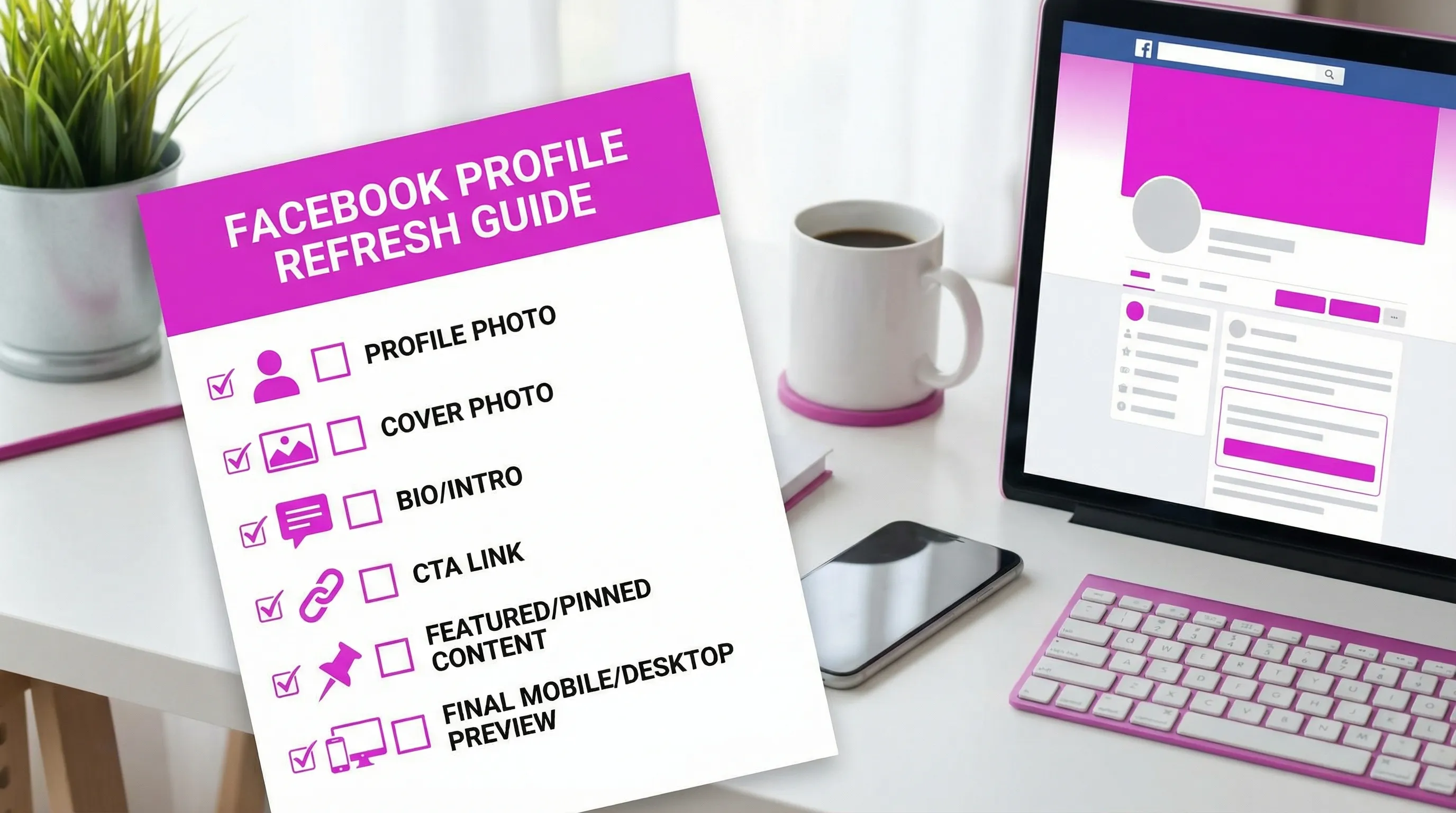
The 30-minute Facebook profile refresh (high impact only)
Use this when you need a quick credibility bump before outreach, a launch, or a job search.
- Update profile photo
- Update cover photo
- Update bio/intro line
- Pin one strong “start here” post
- Click-test your CTA link on mobile
The 2-hour Facebook profile refresh (brand and conversion)
Use this when you’re repositioning, rebranding, or trying to turn Facebook into a consistent lead source.
- Update profile photo (test across placements)
- Update cover photo (design for mobile-safe readability)
- Rewrite About/Bio with one clear promise
- Update CTA button and contact methods
- Refresh featured content
- Review public-facing older posts and untag where needed
- Confirm consistency with your other platforms (photo, name, links)
If your refresh involves lead capture or automations, test the “plumbing” too
Design and copy get the attention, but automations capture the value.
If your Facebook profile or Page refresh includes any of the following:
- A new lead magnet link
- A booking flow
- A Messenger automation
- A webhook from a form tool into a CRM
- A tracking change (like server-side events your developer is updating)
…then do a quick technical QA pass.
For teams that work with developers (or for marketers who like to validate flows themselves), a local-first tool like DevTools for API testing and flow automation can help you replay requests, validate integrations, and make sure the refreshed CTA path actually delivers leads where they should go.
Common mistakes that make a refresh look “off”
A few issues can make a Facebook profile refresh feel unprofessional even if each individual asset is good.
Changing the photo style without changing anything else
If your new profile photo is clean and modern but your cover photo and pinned post are from three years ago, the profile feels inconsistent. Consistency reads as trust.
Designing the cover photo like a website header
Cover photos are not landing pages. If the message requires more than one short line, it’s too much.
Over-editing the profile photo
Heavy filters, aggressive sharpening, and artificial blur often look worse after Facebook compression. Aim for natural lighting and subtle edits.
Forgetting dark mode
High contrast matters more than ever. If your image is mid-tone on mid-tone, it can disappear in dark mode UI.
How to tell if the refresh worked (simple metrics to watch)
A refresh is successful when it improves either perception or action.
On a personal profile, watch:
- Profile visits (if available)
- Friend/follow growth rate
- Message requests after you update
On a Page, watch in Insights:
- Page views and follows
- Link clicks (especially on your CTA)
- Message starts
Track a simple “before and after” window (7 days before, 7 days after). If nothing changes, your visuals may be fine but your CTA or positioning is unclear.
Publish with confidence by previewing first
A Facebook profile refresh is not just about looking better, it’s about removing friction between first impression and next action.
If you want to avoid awkward crops and guesswork, use SocialPreviewing to upload your profile and cover images, preview them across major platforms and device layouts, make quick adjustments, then export mockups for approval or clients. You can start with the free preview, and if you’re updating often, consider the lifetime unlimited access option so you can test as many iterations as you need.
.svg)
.svg)




